
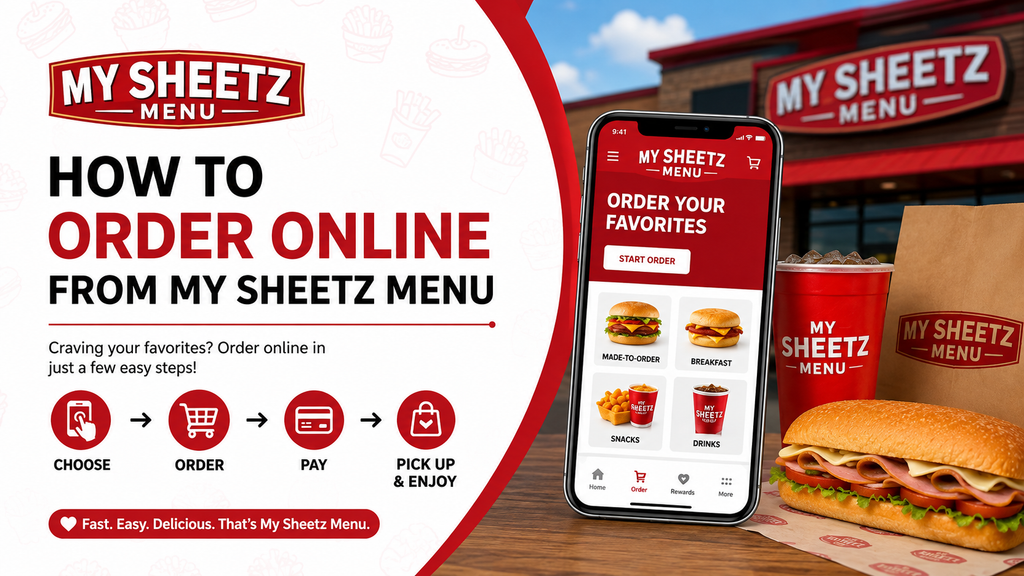
How to Order Online from Sheetz – A Complete Guide
Discover how to order online from Sheetz using the official app or website. Customize your meal, choose pickup or delivery, earn rewards, and enjoy fast, hassle-free ordering anytime, anywhere.
Why Order Online from Sheetz?
Ordering online from Sheetz saves time and gives you full control over your meal. Whether you’re grabbing a quick breakfast, customizing a burger, or ordering drinks for the whole family, the online platform makes it easy.
Key benefits of ordering online include:
- Skip the line and order ahead
- Fully customize every item
- Earn rewards points on every purchase
- Save your favorite meals for quick reordering
- Choose from multiple pickup or delivery options
Two Ways to Order Online from Sheetz
Sheetz gives you two convenient options for placing online orders. You can use the mobile app or the official website — both offer the same customization and ordering features.
Method 1: Ordering via the Sheetz Mobile App (Recommended)
The Sheetz mobile app is the most convenient way to order food online. It allows you to customize meals, pay digitally, collect rewards, and store your favorite orders for faster checkout.
Step 1 – Download the Sheetz App
Start by downloading the official Sheetz Food Delivery & Rewards app from your smartphone’s app store.
With the app, you can:
- Place orders in advance
- Pay securely online
- Save your go-to meals
- Track and redeem reward points
- Access exclusive in-app promotions
Step 2 – Create an Account or Sign In
Open the app and either create a new account or log in if you already have one.
Having an account gives you access to:
- Order history and saved favorites
- My Sheetz Rewardz points balance
- Personalized offers and deals
- Faster checkout with saved payment methods
Step 3 – Choose Your Store Location
Enable location services or manually select the Sheetz store nearest to you.
Choosing the correct store ensures you see:
- Accurate menu availability
- Real-time pickup and delivery times
- Local promotions and offers
Step 4 – Start Building Your Order
Tap the Order button to begin customizing your meal. You’ll find a wide selection of categories including:
- Breakfast
- Burgers
- Subs & Sandwiches
- Pizza
- Salads
- Appetizers & Sides
- Beverages & Shakes
- Snacks & Desserts
Step 5 – Customize Your Meal
Sheetz is famous for its Made-To-Order meals, giving you complete freedom to build your food exactly the way you like it.
You can customize:
- Bread or bun type
- Protein (chicken, beef, turkey, etc.)
- Cheese selection
- Sauces and dressings
- Fresh toppings and veggies
- Extra add-ons like bacon or avocado
Step 6 – Review and Add to Cart
Once your meal is perfectly customized, tap Add to Cart. You can continue shopping or proceed directly to checkout.
Step 7 – Select Pickup or Delivery
Sheetz offers flexible fulfillment options depending on your location. Choose from:
- In-Store Pickup: Pick up your order inside the store
- Curbside Pickup: Stay in your car and have your order brought out
- Drive-Thru Pickup: Available at select locations
- Delivery: Available in certain areas through partner services
Step 8 – Complete Your Payment
Securely pay for your order using your preferred payment method. Accepted options typically include:
- Credit cards (Visa, Mastercard, American Express)
- Debit cards
- Digital wallets (Apple Pay, Google Pay)
- Sheetz gift cards
- My Sheetz Rewardz points (where applicable)
Step 9 – Get Your Order Ready Notification
When your order is prepared and ready, the app will send you a notification. You can then:
- Walk in and pick it up
- Pull up to the curbside pickup spot
- Go through the drive-thru
- Wait for your delivery
Method 2: Ordering via the Sheetz Website
If you prefer using a computer or don’t want to download the app, Sheetz also offers online ordering through its official website.
The website provides the same comprehensive ordering and customization features as the mobile app, making it a great alternative.
Step 1 – Visit the Sheetz Online Ordering Portal
Go to the official Sheetz online ordering page using your preferred web browser.
Step 2 – Pick Your Store
Select your preferred Sheetz location to see the correct menu and availability.
Step 3 – Build Your Custom Order
Browse the menu categories and customize each item to your liking, just like in the app.
Step 4 – Check Your Cart
Review all items, quantities, and customizations before moving to checkout.
Step 5 – Pay Securely
Enter your payment information and complete the transaction safely online.
Step 6 – Collect Your Order
Head to the store at your selected pickup time and grab your freshly prepared meal.
Pro Tip: Save Your Favorite Orders for Quick Reordering
If you’re a regular customer, the Sheetz app allows you to save your favorite meal combinations and reorder them in seconds. This feature is especially useful if you frequently order:
- Your go-to morning coffee and breakfast sandwich
- A customized burger or sub
- Protein-packed snacks or salads
- Late-night comfort food orders
My Personal Experience Ordering from Sheetz
After testing both ordering methods, I found the Sheetz app to be more convenient and faster than the website. The ability to save meals, earn rewards automatically, and receive real-time pickup alerts makes the app the preferred choice for regular customers. That said, the website is a solid backup option when you’re ordering from a computer.
Frequently Asked Questions
Final Thoughts
Ordering online from Sheetz is quick, convenient, and offers complete flexibility. Whether you choose the mobile app or the website, you can customize every meal, pay securely, earn rewards, and select your preferred pickup or delivery method. For the best experience, especially if you order regularly, the Sheetz app is the way to go.
Ready to explore the menu before placing your next order? Check out our full Sheetz menu guide featuring breakfast items, drinks, snacks, and popular Made-To-Order favorites.



7 Comments